If you run a Shopify store and struggle with slow email list growth or high bounce rates, learning how to add spin the wheel pop up shopify setups use can make a real difference. This playful popup turns a standard discount offer into an interactive game where visitors spin for a chance to win free shipping, a percentage off, or a small gift.
You will learn which apps to use, how to install and design the wheel, how to set prizes and display rules, and how to connect it to email marketing. I will also cover mobile optimization, testing ideas, and fixes for common issues so you can launch with confidence and keep the user experience clean.
What a Spin the Wheel Popup Does for Shopify Stores
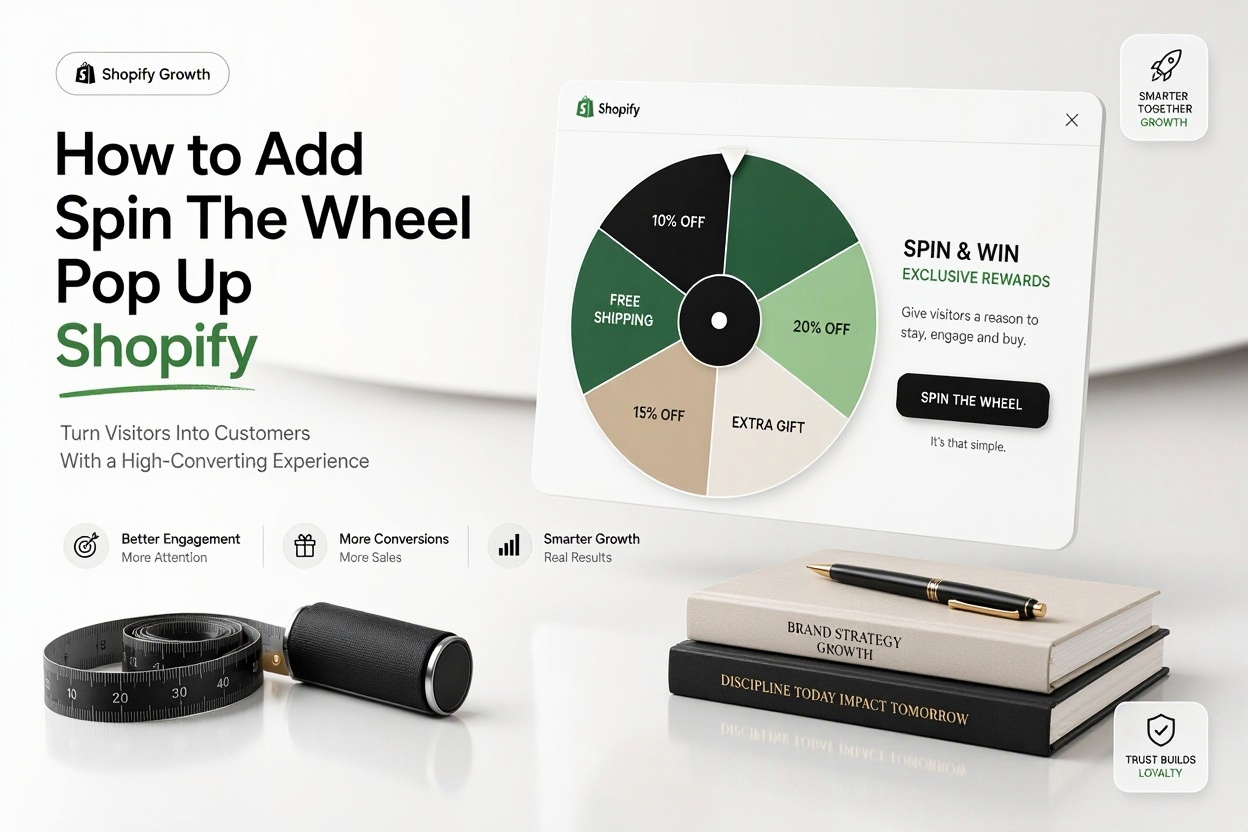
A spin the wheel popup is a gamified email capture tool. Instead of showing a static get 10 percent off box, it shows a colorful wheel with prize slices. Visitors enter their email to spin, then see what they won. The code or auto-applied discount gives them a reason to shop right away.
For Shopify merchants, the appeal is simple. It collects emails faster than a standard form, reduces exit rate by giving hesitant shoppers an incentive, and creates a small moment of fun. When done well, it feels like a bonus rather than an interruption to the shopping flow.
How the interaction works on a typical store
Most spin to win tools follow the same flow. The popup triggers after a time delay, on exit intent, or on scroll. The shopper enters an email or phone number, clicks spin, and the wheel animates to a prize. Shopify then applies the discount through a code shown on screen and sent by email.
Behind the scenes, the app creates Shopify discount codes automatically or syncs with existing codes. You control win probability for each slice, set minimum order rules, and decide if the wheel shows on desktop, mobile, or both. Good apps also log spins, emails collected, and redemptions.
Benefits for list growth and sales lift
Stores use this format because participation rates are high. People are curious to test their luck, so opt-in rates often beat standard popups by two to three times. That gives you more abandoned cart emails, welcome flows, and campaign subscribers to work with over time.
There is also a sales effect. A shopper who just won 15 percent off is more likely to use it before it expires. Urgency helps here. If the prize email includes a 48 hour expiry and a clear shop now button, redemption goes up without the need for deep sitewide discounts.
Choosing the Right Spin to Win App for Shopify
The Shopify App Store has several gamified popup apps, including Privy, Justuno, Wheelify, Spin-a-Sale, and Poptin. Most offer a free plan with branding and spin limits, then paid tiers for more views, advanced targeting, and removal of app logos. Feature depth varies more than pricing suggests.
Look past the wheel graphic and check essentials. You need Klaviyo or Mailchimp integration, automatic Shopify coupon generation, mobile responsive design, exit intent and timed triggers, win probability controls, and basic analytics. Without those five, you will outgrow the app quickly.
Comparison of popular option types
Different apps suit different store sizes. A lightweight wheel-only app is cheap and easy but limited in targeting. An all-in-one popup and email platform costs more but lets you run spin, exit, cart upsell, and embedded forms from one dashboard. Your order volume and email setup should guide the choice.
Here is a simple way to compare options before you install
App type: Wheel-only apps like Wheelify, best for new stores that want fast setup and low cost, watch for view limits. Suite apps like Privy and Justuno, best for growing stores that want targeting and testing, higher monthly price. Popup builders with wheel template like Poptin, best for design flexibility, check Shopify coupon sync.
Installing and Setting Up Your Wheel Popup
Once you pick an app, installation takes only a few minutes. In Shopify admin, go to Apps, visit the Shopify App Store, search for the app name, then click Add app and approve permissions. The app will then appear inside your Apps list and guide you through creating your first campaign.
Open the app dashboard and select the spin the wheel template. Confirm the campaign status is set to draft while you work. Connect your store domain, enable Shopify discount creation, and link your email platform. This foundation prevents lost codes or unsynced subscribers later.
Step by step setup walkthrough
Use this order to avoid rework. It keeps design, prizes, and triggers in the right sequence.
1. Create a new campaign and choose the spin to win template for desktop and mobile.
2. Connect Klaviyo, Mailchimp, Omnisend, or Shopify Email so opt-ins sync automatically.
3. Enable automatic coupon generation and set code prefix, for example SPIN15.
4. Set display timing to 15 to 25 seconds or exit intent for desktop.
5. Publish to a test theme first, place a test order with a winning code, then push live.
Designing a Wheel That Gets Clicks and Emails
Design affects participation more than most merchants expect. Keep the wheel to six to eight slices so text stays readable on phones. Use high contrast slice colors, short prize labels like 10 percent OFF or Free Ship, and a clear headline such as Spin to Win a Treat. Avoid long paragraphs inside the popup.
Your form fields matter too. Email only will get the highest spin rate. Adding SMS can increase revenue per subscriber but will lower participation. Many stores start with email only, then add optional phone collection on the win screen after trust is established. [Internal Link: Shopify Email Popup Strategies] fits well in this testing phase.
Copy and visual details that increase spins
Small tweaks lift conversion. Use a close button that is visible but not dominant, add microcopy like No spam, just treats, and show a prize list under the wheel. A countdown like Code expires in 48 hours works better than vague urgency. Keep brand fonts and colors consistent so the popup feels native.
Common design mistakes to avoid include auto spinning without an opt-in, which collects no emails, using neon colors that clash with your theme, and covering the entire screen on mobile. You want attention, not frustration. A centered modal with blurred background usually performs best.
Setting Discounts, Odds and Display Rules
Prizes should protect margin while still feeling exciting. A common setup is one strong prize with low odds, two mid-tier prizes, and consolation prizes for everyone else. For example, 20 percent off at 5 percent win rate, 15 percent off at 20 percent, 10 percent off at 35 percent, and free shipping at 40 percent.
Set odds inside the app prize settings. Most tools let you assign weight or percentage to each slice. Always give every spin a win to keep the mood positive. A losing slice kills participation and can generate complaints. A small 5 percent code as the lowest prize is safer than no win.
Key prize settings to review before launch
Go through this quick checklist in the app before you
- Each slice has a real Shopify code or auto-generated discount attached
- Minimum order value is set for higher percentages, for example 75 dollars for 20 percent
- Codes have expiry dates, single use per customer, and exclude sale items if needed
- Win probabilities add up to 100 percent with no empty slices
- Free shipping prize is limited to target countries to control cost
Timing, frequency and page targeting
Show the wheel after intent is shown, not instantly on load. A 15 second delay, 50 percent scroll, or exit intent works for most catalog stores. Limit to once per session and do not show to existing subscribers or recent purchasers. Hide it on checkout and thank you pages to avoid distraction during payment.
If you run paid traffic, consider delaying longer for ad landing pages so visitors see the product first. For blog traffic, trigger earlier since those readers need an incentive to browse products. Most apps let you set URL rules, device rules, and geo rules separately.
Connecting Email Marketing and Tracking Results
The email connection is where long term value comes from. Sync the wheel to a dedicated list such as Spin Leads so you can send a tailored welcome series. The first email should deliver the code, show bestsellers, and remind of expiry. The second and third emails can share reviews and a nudge before the code expires.
Tag subscribers by prize won when possible. Someone who won 20 percent may need less persuasion than someone who won 5 percent. Segmentation lets you avoid sending another discount too soon to high intent buyers. [Internal Link: Klaviyo Welcome Series for Shopify] can help you map those first three emails.
Metrics worth watching weekly
Track beyond vanity spins. In the popup app, monitor views, spin rate, email capture rate, and coupon redemption rate. In Shopify, check discount usage, average order value for wheel orders, and repeat purchase rate. In your email platform, watch welcome open rate and revenue per recipient.
A healthy setup often sees 8 to 15 percent of viewers spin, 60 percent plus of spinners redeem within a week, and steady list growth without a drop in AOV. If redemption is high but AOV falls, raise minimum spend thresholds or lower top prize value.
Mobile Optimization and User Experience Best Practices
More than half of Shopify traffic is mobile, so test the wheel on a real phone. The wheel should fit without horizontal scroll, buttons should be thumb sized, and the email keyboard should open automatically. Avoid full screen takeovers that hide the close X in the corner.
Page speed also matters. Load the popup script after main content, limit to one popup per page, and disable fancy confetti animation on slower devices if the app allows it. A two second delay in popup load is less harmful than slowing the whole product page.
Quick tips for a cleaner mobile experience
Use these practical tweaks to keep mobile shoppers happy:
- Use short headlines and 16px or larger form text to prevent iOS zoom
- Stack the headline, wheel, and form vertically with enough padding
- Make the close button 44px tap target in the top right
- Test on both Safari and Chrome with coupons applied at checkout
- Turn off exit intent on mobile and use timed or scroll trigger instead
Testing and Improving Performance Over Time
Launch is only the start. Small A/B tests compound over months. Test one variable at a time for at least 1,000 views per variant. Good first tests include headline wording, number of slices, first prize value, timing delay, and button color. Keep win rate structure stable during creative tests.
Seasonality deserves attention too. During BFCM or holiday sales, reduce wheel discounts so they do not stack badly with sitewide sales. You can switch the top prize to a gift with purchase or bonus loyalty points instead of deeper percentages. Pause the wheel on high intent sale pages if margin gets tight.
Practical test ideas with examples
For example, test Spin to Win 15 percent OFF versus Try Your Luck for Up to 20 percent OFF. The second often gets more spins because of the up to framing. Another useful test is email only versus email plus SMS opt-in. Expect 20 to 30 percent fewer spins with SMS added, but higher revenue per subscriber if your SMS flows are strong.
Document each test with dates, traffic source, and result. Many merchants forget what they tested and repeat losing variants. A simple sheet with hypothesis, variant, spins, emails, redemptions, and revenue keeps decisions clear and avoids opinion based changes.
Common Problems and Quick Fixes
Even good setups hit snags. Codes that do not apply at checkout are the most common. This usually happens when the discount is expired, usage limits are reached, or products are excluded. Check Shopify Discounts for active dates, combinability settings, and minimum requirements before blaming the popup app.
Low spin rates often point to timing or design. If the popup shows under five seconds, visitors close it reflexively. If the headline is vague like Sign Up, curiosity drops. Make the value clear in seven words or less and delay a bit longer. Also check that the app does not conflict with another popup showing at the same time.
Mistakes that hurt results and how to fix them
Watch for these frequent issues:
- Showing the wheel to existing subscribers, fix with cookie and list suppression
- No welcome email with code, fix by testing double opt-in and flow filters
- Stackable codes hurting margin, fix by setting non-combinable in Shopify
- Wheel not showing after theme update, fix by re-enabling app embed in theme editor
- Slow pages on mobile, fix by limiting animations and delaying trigger
Conclusion
A spin wheel works when it is relevant, timely, and easy to redeem. Focus on clear prizes, fair odds, smart display rules, and a fast welcome email that delivers the code. Keep mobile layout clean, track redemption and revenue, and test one change at a time to steadily lift results.
If you follow the setup, design, and measurement steps above, learning how to add spin the wheel pop up shopify merchants rely on will feel straightforward and low risk for your store.
Frequently Asked Questions
How Much a Spin the Wheel App Costs on Shopify?
Many apps offer a free plan for up to 500 views or limited features. Paid plans usually range from 10 to 50 dollars per month based on views, domains, and advanced targeting options.
How Long Setup Takes for a New Store?
Most stores can launch in under an hour. Installation takes minutes, while design, discount rules, and email integration take 30 to 45 minutes including testing on desktop and mobile.
Which Email Platforms Work Best With Wheel Popups?
Klaviyo, Omnisend, Mailchimp, and Shopify Email all work well. Klaviyo and Omnisend offer deeper segmentation by prize won, which helps tailor welcome flows and improve redemption rates.
How to Stop the Wheel Hurting Profit Margins?
Use minimum order thresholds, single-use codes with expiry, and lower odds for top prizes. Exclude sale items and make codes non-stackable in Shopify discount settings.
Why the Popup Does Not Show on Mobile Devices?
Check device targeting, app embed status, and frequency capping rules. Ensure the trigger is timed or scroll based, since exit intent does not work reliably on mobile browsers.